Retrio
Final major project for my Masters in UX Design at University of Arts London
Designer and researcher in a team of three for my University final major project, where we created an app as an adventure into supporting language learning with visual and situational context.
What is Retrio?
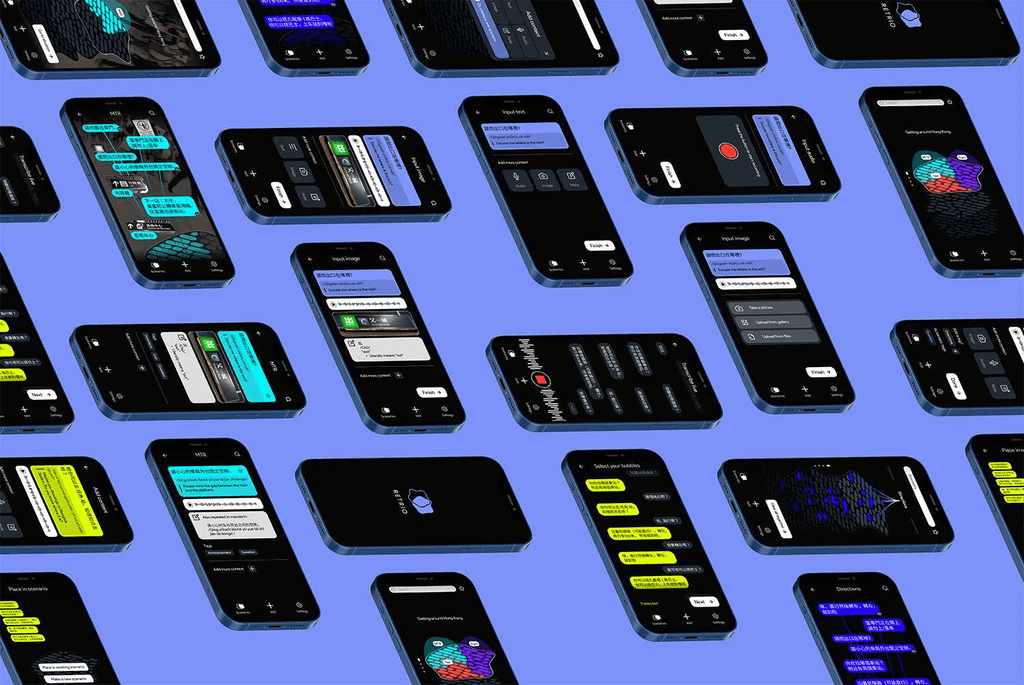
This project was a collaboration with Tatiana Bohsali & Kate Chernysheva, in which we created a digital interface that can organise and visualise various parts of language learning.
My contribution was to explore how visual context can be designed to enhance a user's understanding of their learning, situating and adding referential information crucial for linking words and concepts.
A video introduction to our project
In a world where language learning opportunities are limited to unpredictable stressful encounters and channels that fail to equip learners with real-world vocabulary, acquiring a language is rarely a linear process. With the use of formal language lessons and abstracted situations, current language learning practices are proving to lack context, enabling an endless loop of lost motivation.
As a response, Retrio is an attempt for a more contextualised experience. This work in progress presents a digital scenario-based retrieval system for informal language learning. It is a personal library allowing people to keep track of their daily encounters and turn them into a language learning experience.
research
Discovery
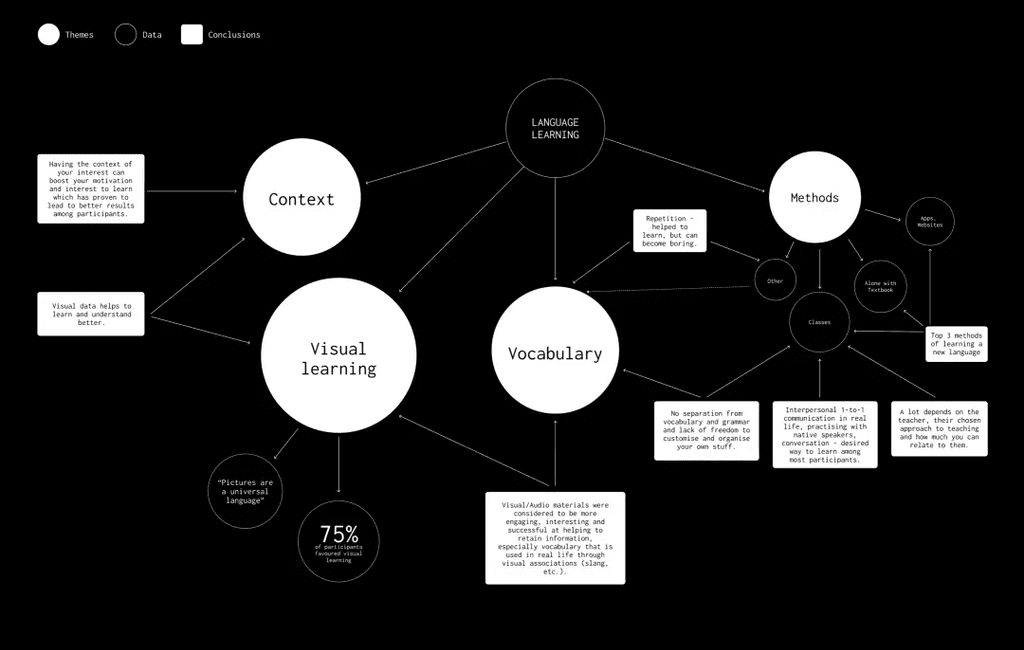
We began by conducting a basic questionnaire (synthesised below) with a total of 24 participants to help us understand how visuals can situate / enrich language learning.
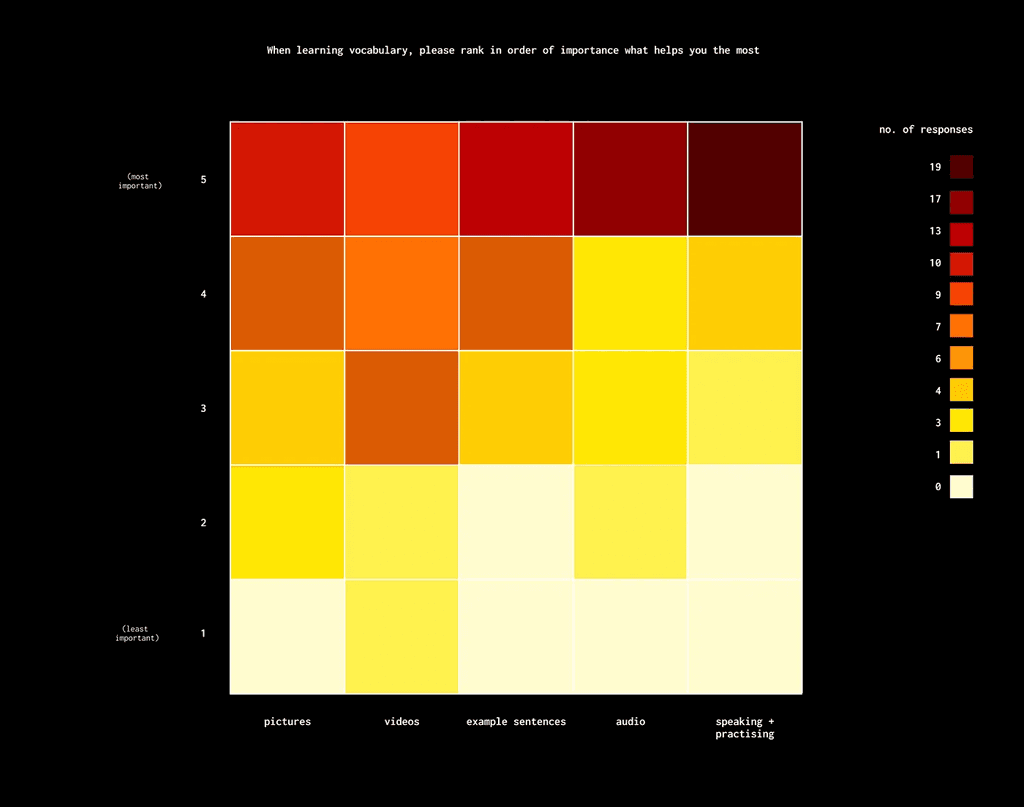
From this we found that having context of interest increased motivation to learn, and having visual data helped aid understanding. Most also noted that visual and audio materials are the most engaging, and better at helping information retention.
Questionnaire synthesis
Learning method heatmap
case studies
I did some case studies to measure the effectiveness of learning Korean using Ewha textbooks and the Duolingo app. I chose these Korean textbooks as I had used them in previous studies, and Duolingo for its popularity and comprehensive learning approach.
I found both methods had their limitations; Learning with textbooks proved rigid, focusing on grammar and vocabulary without providing sufficient visual referential information for linking words and concepts. Similarly, Duolingo's content lacked essential situational elements crucial for language acquisition, instead relying on illustrations lacking in context.
market research
Our envisioned outcome was digital so we narrowed our search down to mobile apps. We chose them based on popularity and split the results into four categories (see image below).
This information combined with last weeks questionnaire resulted in us drawing some conclusions; Chineasy was the only app to make rich visual context a focal point, and most of the apps do not have a save feature to help you easily retrieve / organise what you are learning.
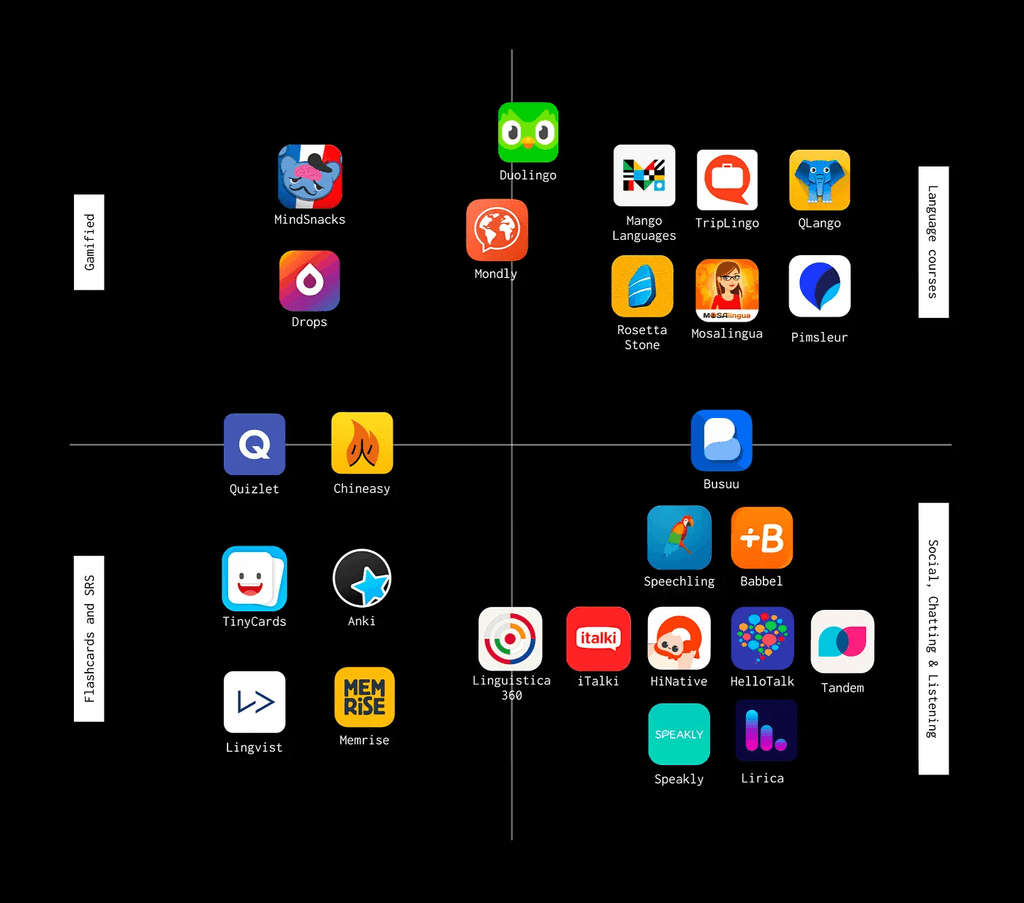
Market research
behaviour mapping
We gathered seven participants and asked them to use one of three popular language learning methods we had identified (textbooks, apps, and podcasts) to study French over the course of one week.
They were asked to fill in a multiple choice diary every day even if they didn’t study that day, which covered the following topics: Motivation, Difficulty, Time spent, Engagement, Usefulness, Feeling of progress, Completion, and Usefulness of imagery.
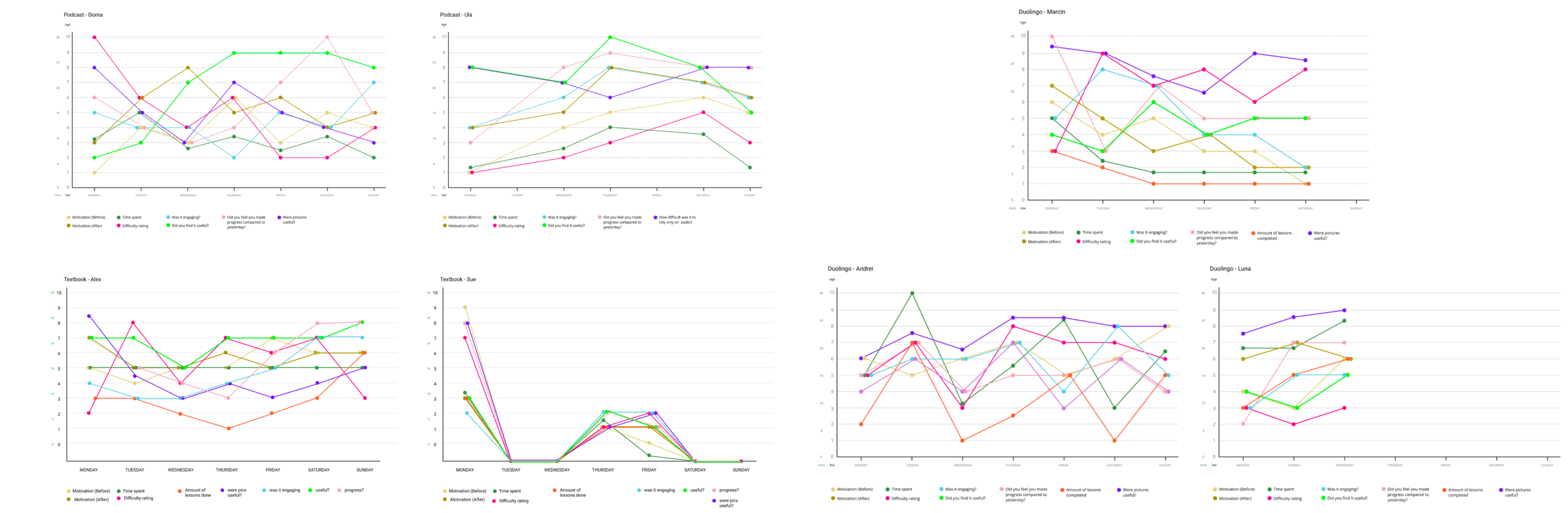
Our behaviour mapping graphs for Textbooks, Podcasts, and Duolingo.
Participants in the study identified several common issues related to language learning materials. Both the Duolingo and textbook groups mentioned a lack of meaningful imagery, making it challenging to remember the content effectively.
The textbook participants expressed a preference for more immersive and culturally relevant learning experiences, such as watching TV shows.
The podcast group struggled with the absence of visuals, which hindered their ability to associate the audio content with its meaning. Additionally, all participants noted a lack of personalisation in the materials, making it difficult to review past content without disrupting their learning flow. Motivation levels varied among the groups, with podcast listeners feeling somewhat more motivated due to the passive nature of their learning.
directed storytelling
Before we started designing, it was important we spoke to people from several different backgrounds and ask them about their most recent language learning experience. Our goal was to understand their process, and what parts of their language learning journey they found the most and least valuable. We probed for underlying reasons behind their explanations to try and determine root causes of problems or thought processes.
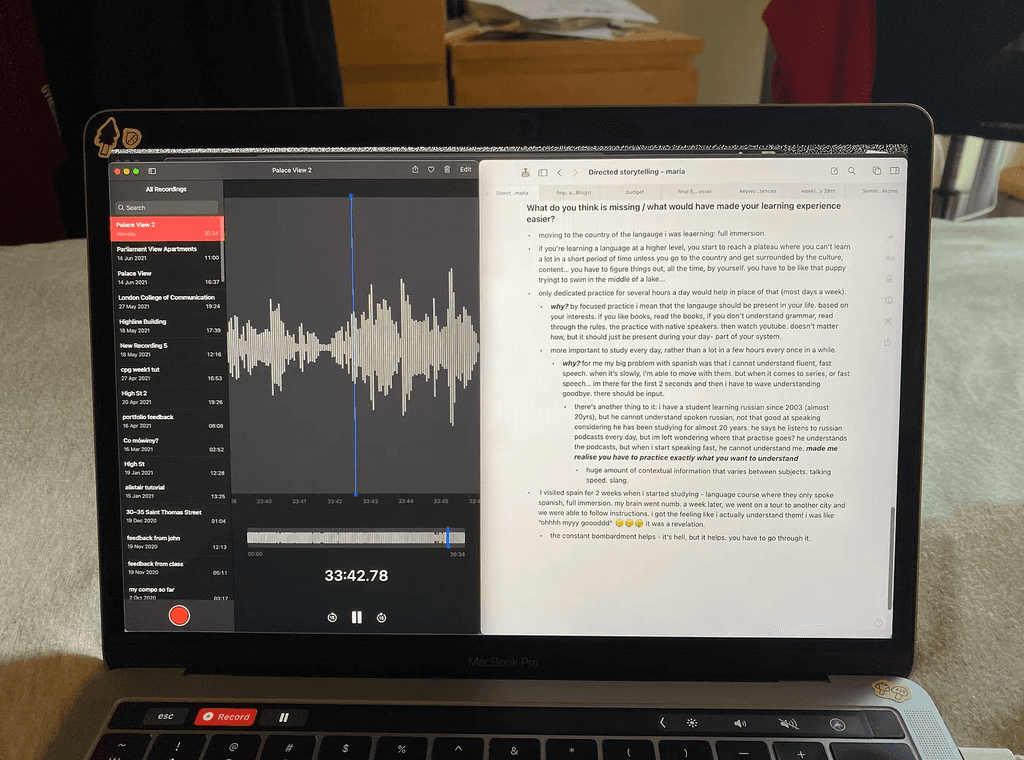
Storytelling voice recording & transcription
Many of the participants noted the necessity of visual parts in learning, as it helped with association, emotional attachment, and context. Without, it was difficult to associate words with what they mean in their heads. There was also a lot of emphasis on needing a person to practise with — someone who can provide a comfortable environment where you can make mistakes and get corrected.
Based on our directed storytelling, we decided to explore the social circumstances of a language further. It made us think about how people might survive in places where they don’t know the language, yet have to do language intensive things. It would be interesting to explore what happens in these situations, and figure out parts that could be saved to a digital "library" —somehow saving the context that exists within the situation, even when it no longer exists in the present moment. Wanting to explore this functional aspect, we needed to prototype designs that perform well for specific needs.
deep thinking
Ideation
sketching
For this approach to work we needed to define / explore some of these specific needs. I chose an example conversation, “Offering someone tea or coffee” (in the image below), and labelled all the things I could from it in a quick brainstorm session. I defined categories for things within a conversation: words (adjectives, nouns and verbs), social (timing), culture (politeness), technical (conditional and imperative tenses) and situational (location-based).
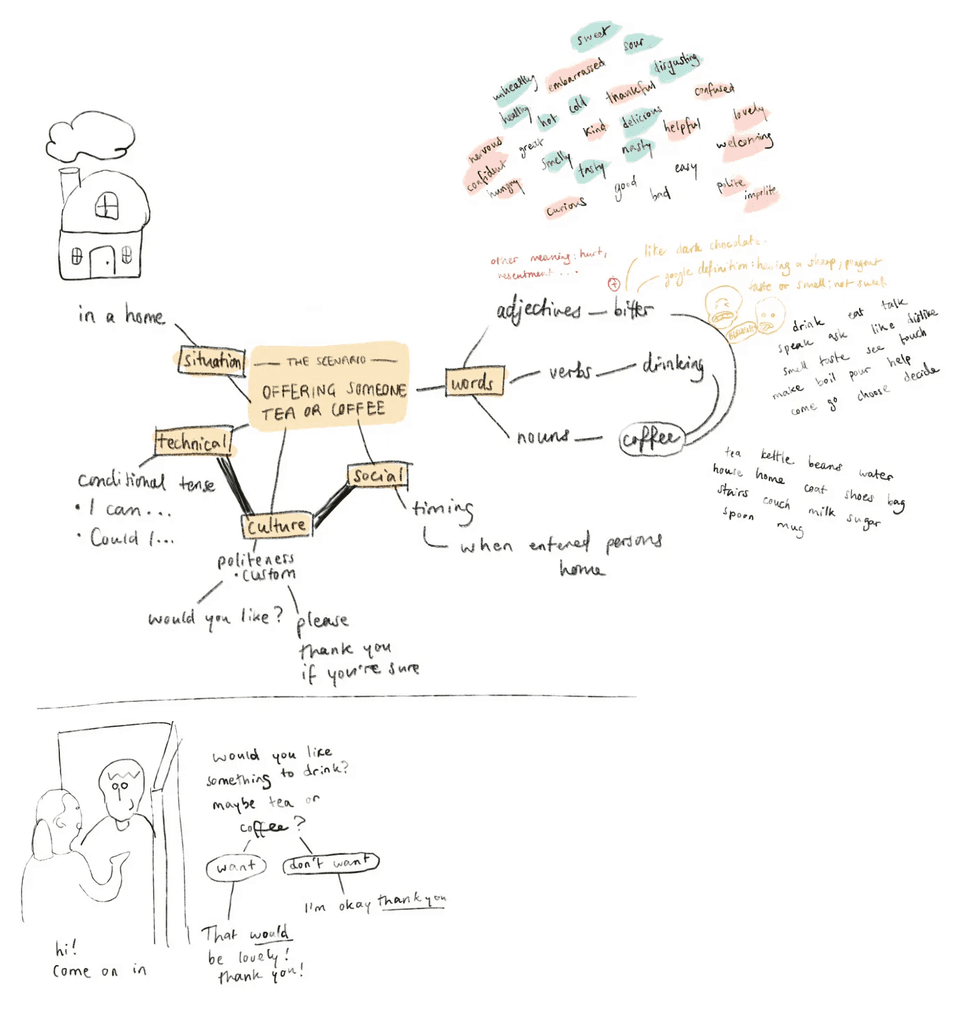
Brainstorm after Storytelling exploring social circumstances of language learning
I thought about how the information would look, and how it could be structured in a digital system. Seeing as elements within a conversation are all linked, I needed to carry on these connections in the design. I liked the structure a grid provided as it also enables a complex navigation system, with layers and depth. However, I had still not planned how the design would work with actual pieces of information.
I begun by planning how it might work with individual words. Nouns are easy to contextualise, so I was keen to complexify by exploring how words could be placed depending on their relation to nearby words e.g. a basic example would be the word lovely, which I placed next to cat.
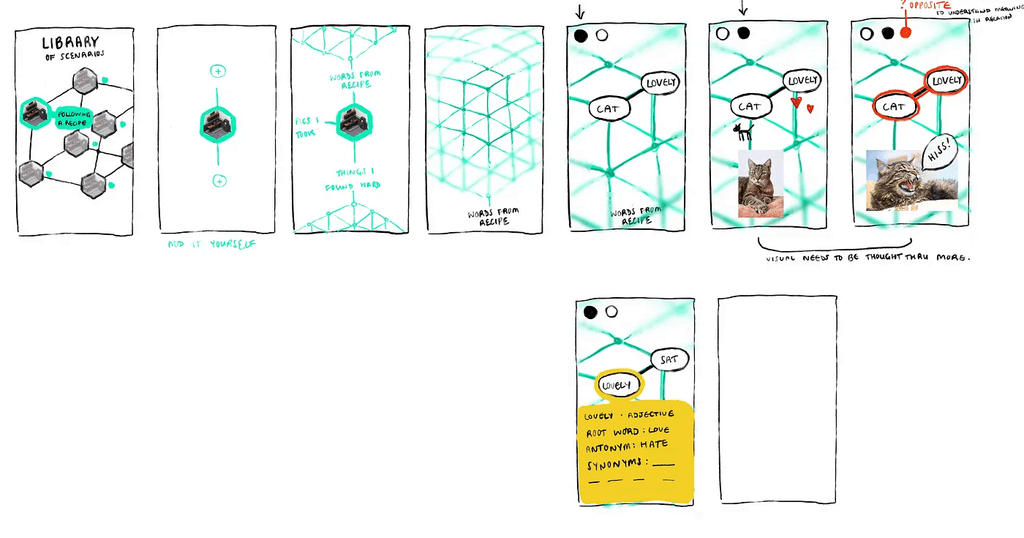
Sketches on how we could visualise these connections.
This was an attempt to see words in relation to connected concepts. When a word is selected, other, non-related ones would fade out of focus to highlight those that are connected. However, this got me thinking about the importance of seeing in contrast as well as well as similarity. Surely it is just as important to see words in relation to what they are not, to help understand their meaning?
research
User testing
We needed to be able to confirm that users can use and understand the prototype without an in-depth explanation from us. We decided to prototype some of the real-life data we had had some participants collect: navigating the Hong Kong MTR. Our prototype, being its content is situated in Hong Kong, was mostly in Cantonese. This narrowed our testing audience to those who are learning, or can speak Cantonese. We were able to find three participants.
We gave our 3 participants a link to a clickable prototype. The prototype had information (phrases, photos and audio files) already inputted, so the main aim of testing was to see how navigable the product was.
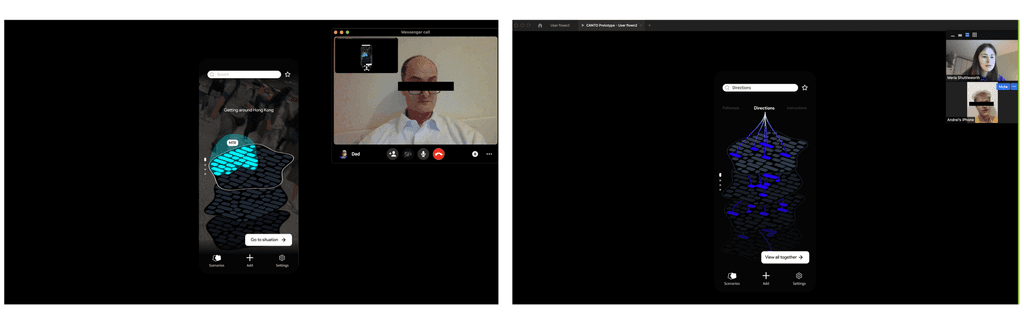
Sketches on how we could visualise these connections.
findings
The test was successful, with every participant stating that they would use this app themselves. Each participant stated the videos helped situate their experience. They noted that ambient sound would help, which is a feature we had planned, but were not able to replicate in the prototype. One participant mentioned that videos make the whole experience more complex, which helped develop their understanding. Two participants mentioned, however, that the organisation of information within the scenarios needed to be developed, as it currently has minimal information hierarchy. They also noted that the community aspect of learning was missing, as right now it is a solitary experience and you cannot easily find out if what you are learning is incorrect. A feature to share, or view other people’s scenarios was suggested to help this.
The final outcome
We created a scenario-based retrieval system for those in a foreign country, wanting to learn the language.
The user can input information (text, audio, images, videos and personal notes) which they can then group into sections, within a scenario. The “scenario” is the largest category available, within which information can be stored.
The goal with our outcome was that people could carry this with them as a scenario-based pocket dictionary, so that they can note things down and categorise them on their phone while going about their day. This allows them to chronicle their experiences related to language learning, made available for quick retrieval later.
design & functionality
A closer look
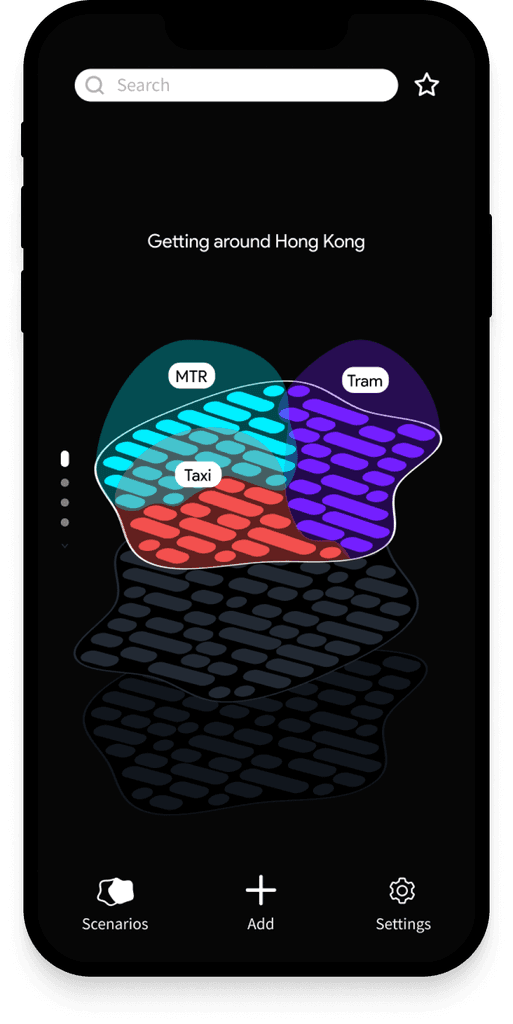
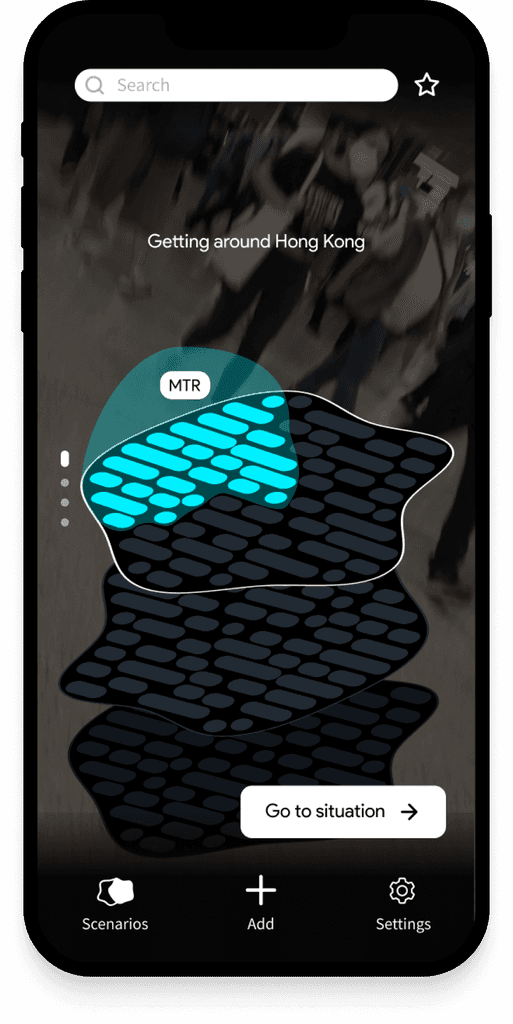
home screens
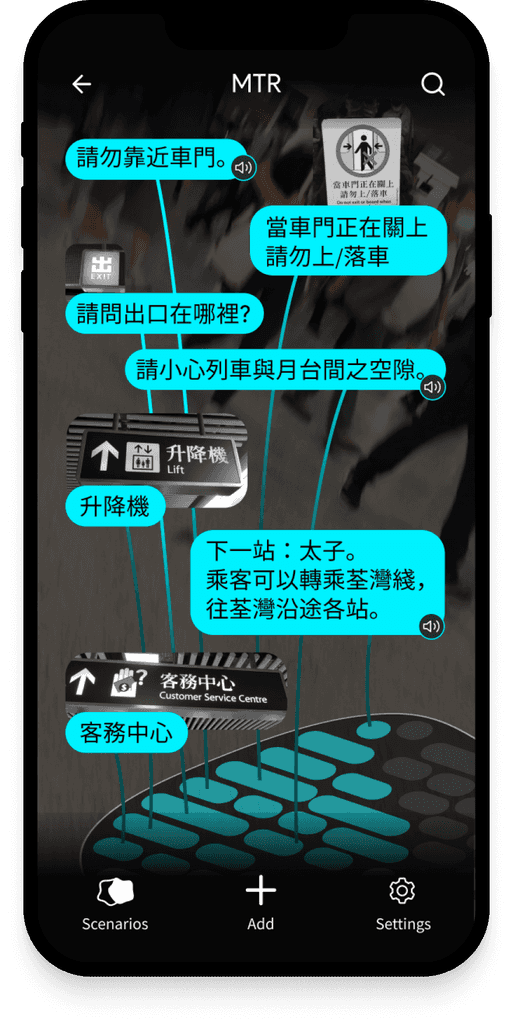
Your home screen. Here the user can scroll through all their Scenarios - which all have different shapes depending on the amount of information inputted. Individual sections within Scenarios can also be created / selected, allowing for deeper categorisation.
If the user has uploaded video content, this plays when the Scenario section has been selected, to trigger recollection of the moment the user input this information in.
inside a scenario
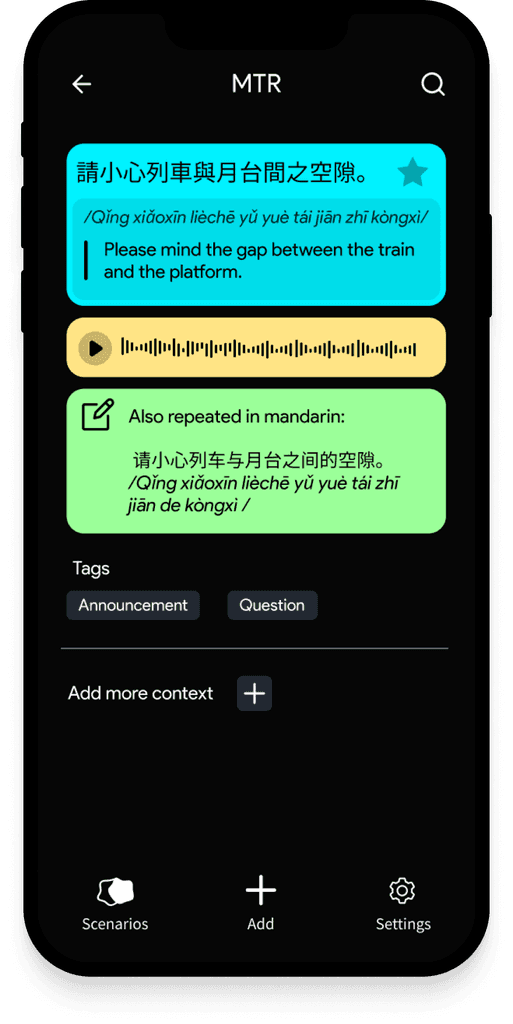
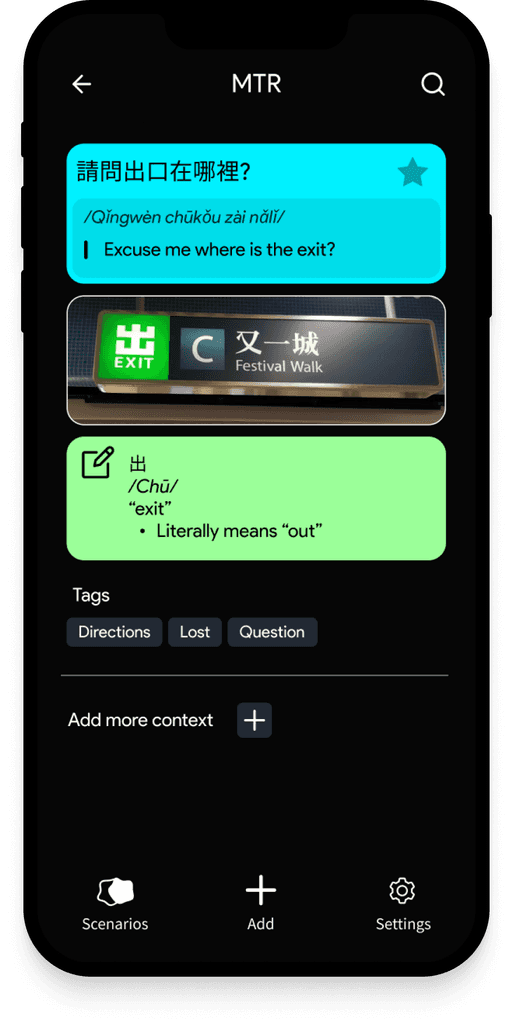
Here you can view all your saved vocabulary, sentences, images, and audio notes.
Once a note is selected, you can go a level deeper and review the information you have saved here, or add more.
adding new content
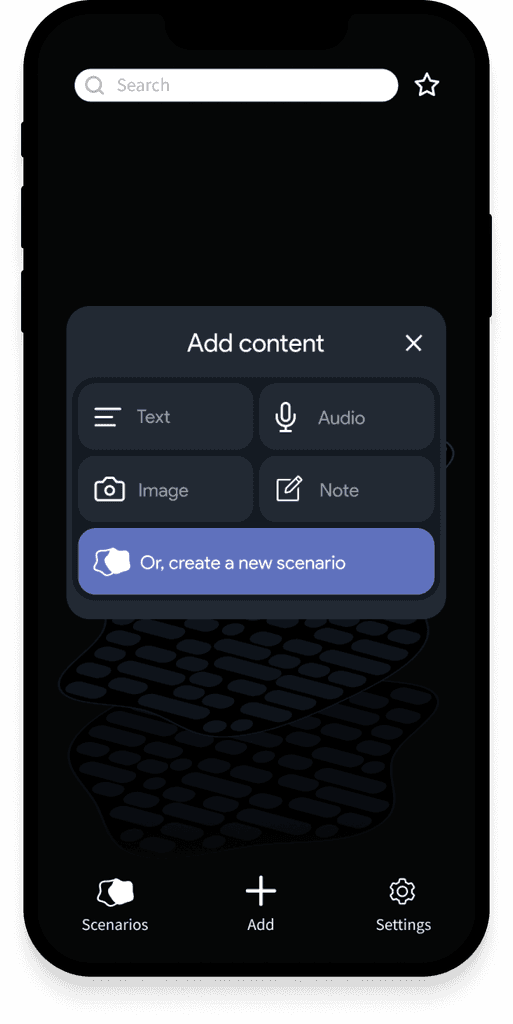
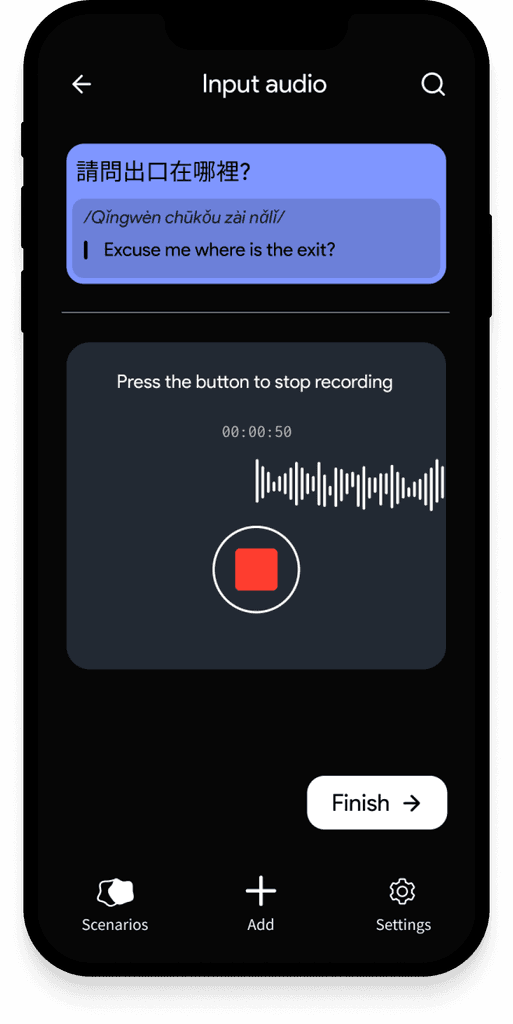
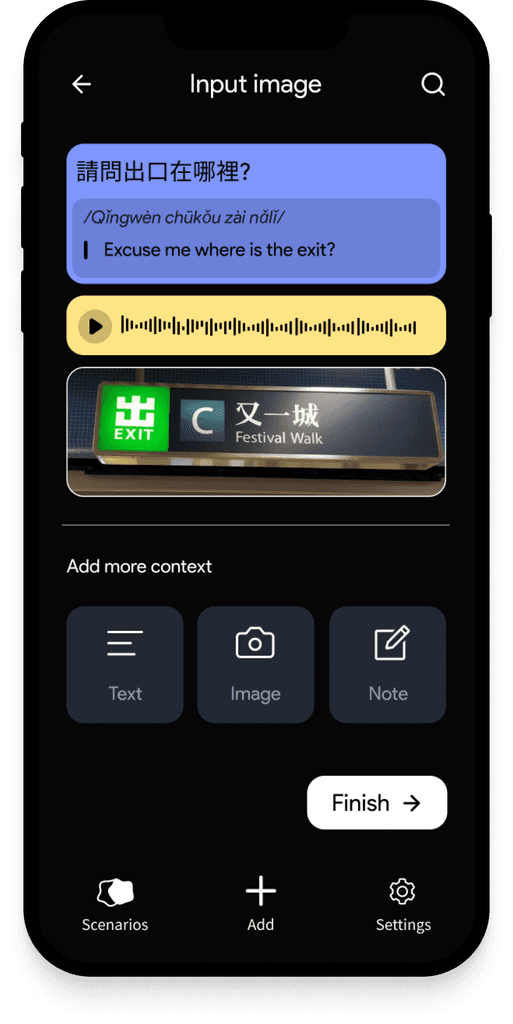
From the "Add" screen, the user can add Text, Audio, Image or Note content. They can also start by creating a new Scenario.
When they've added some content, they have the option to add more types to support what they've added.
adding to scenario
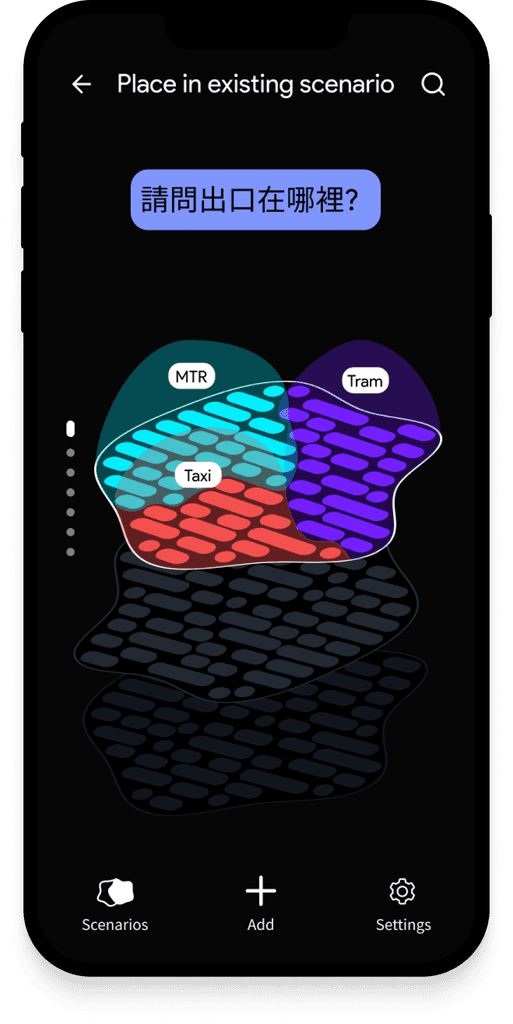
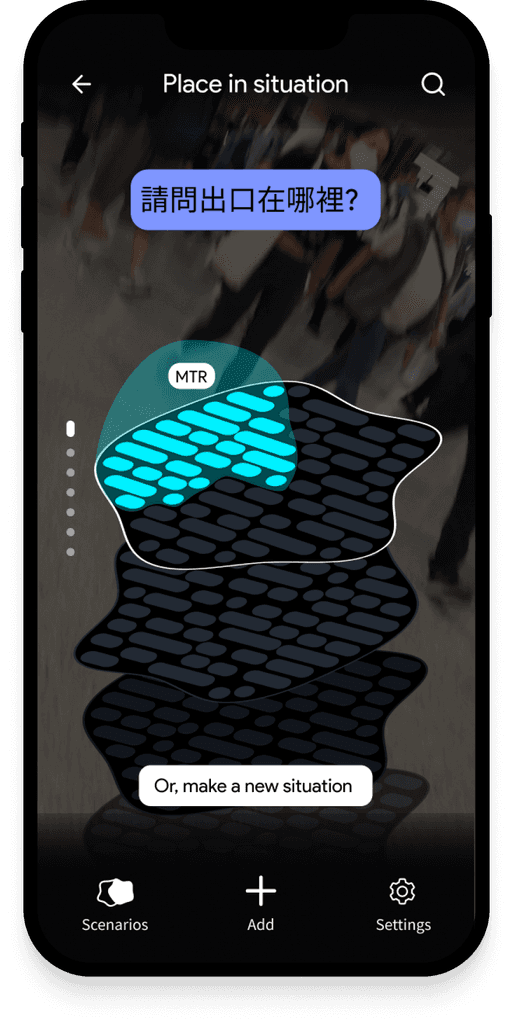
Once created, they will have to add this content to either an existing Scenario, or create a new one.
They will then have to add this to a situation within a scenario. For example, in the image I show us adding a note to Scenario "Getting around Hong Kong", within the situation "MTR".
linking between scenarios
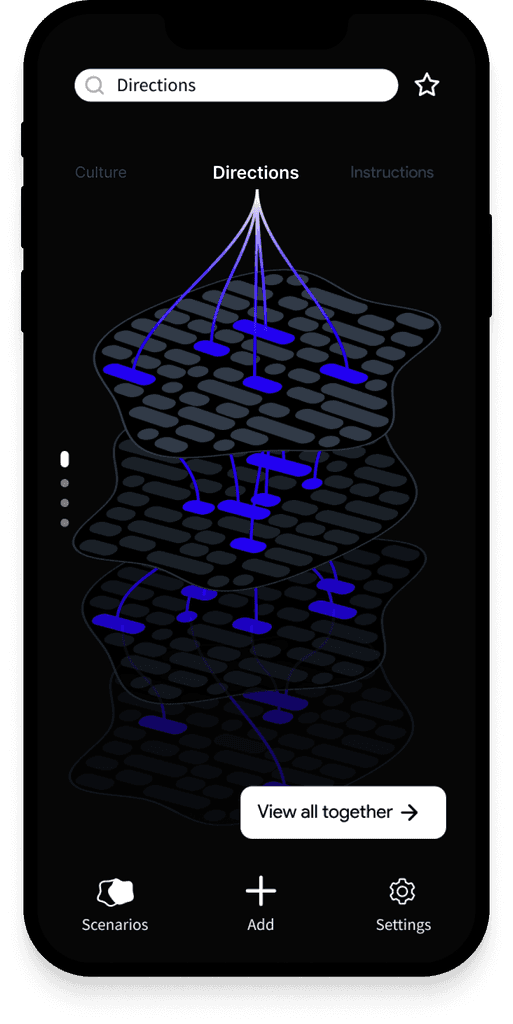
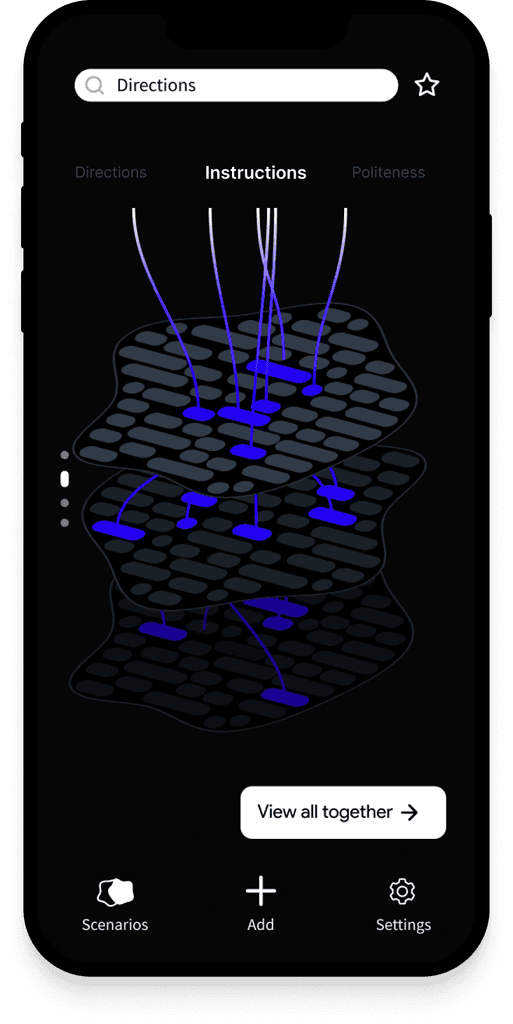
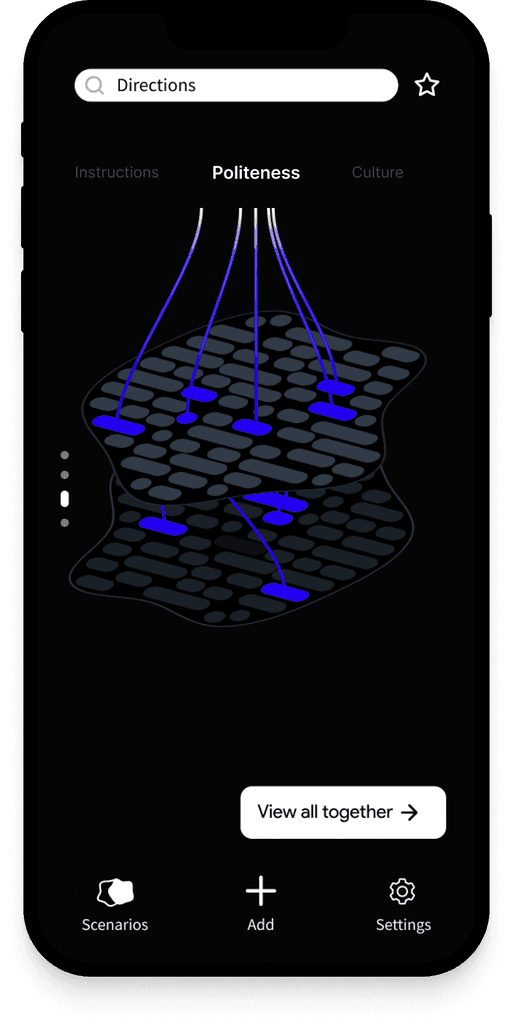
We didn't have time to explore this aspect to its full extent, but we wanted to create a visual way to link Scenarios, so the learner can identify connections between what they might learn in one Scenario with another.
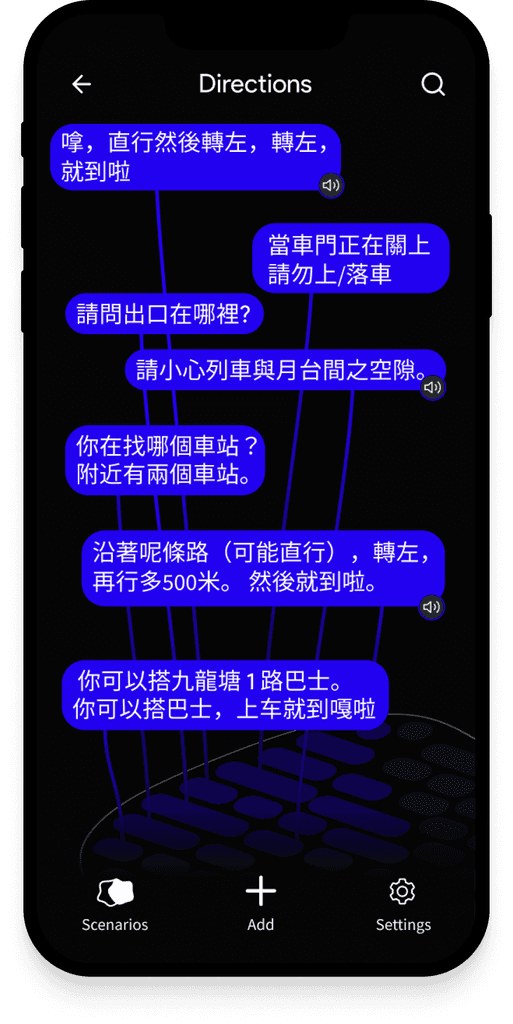
They would be able to search for a key word (for example, "Directions") and see the links between all the Scenarios that have been created. You can then zoom in and view all the related notes from a Scenario on one screen.
Final thoughts
The outcome of our project was not what I envisioned at the start. We ended up shifting our approach throughout the project as we struggled to provide visual elements for more abstract concepts than simple nouns and verbs. If we had continued going down that route we would have likely ended up creating something similar to Duolingo.
Instead, we turned our focus to contextualising language learning by creating a scenario-driven retrieval system. This still gives the user context in regard to what they are learning, just without such a heavy focus on the visual / illustrative elements. The user can situate information by uploading pieces of their experiences and grouping them in scenarios to actively formulate understanding. The scenarios were a compromise - consisting largely of text, with a secondary layer of images and audio. However, giving the user the ability to group based on where information belongs in a scenario still allows the learner to visually draw links and make associations between what they are learning and the environment it lives in.
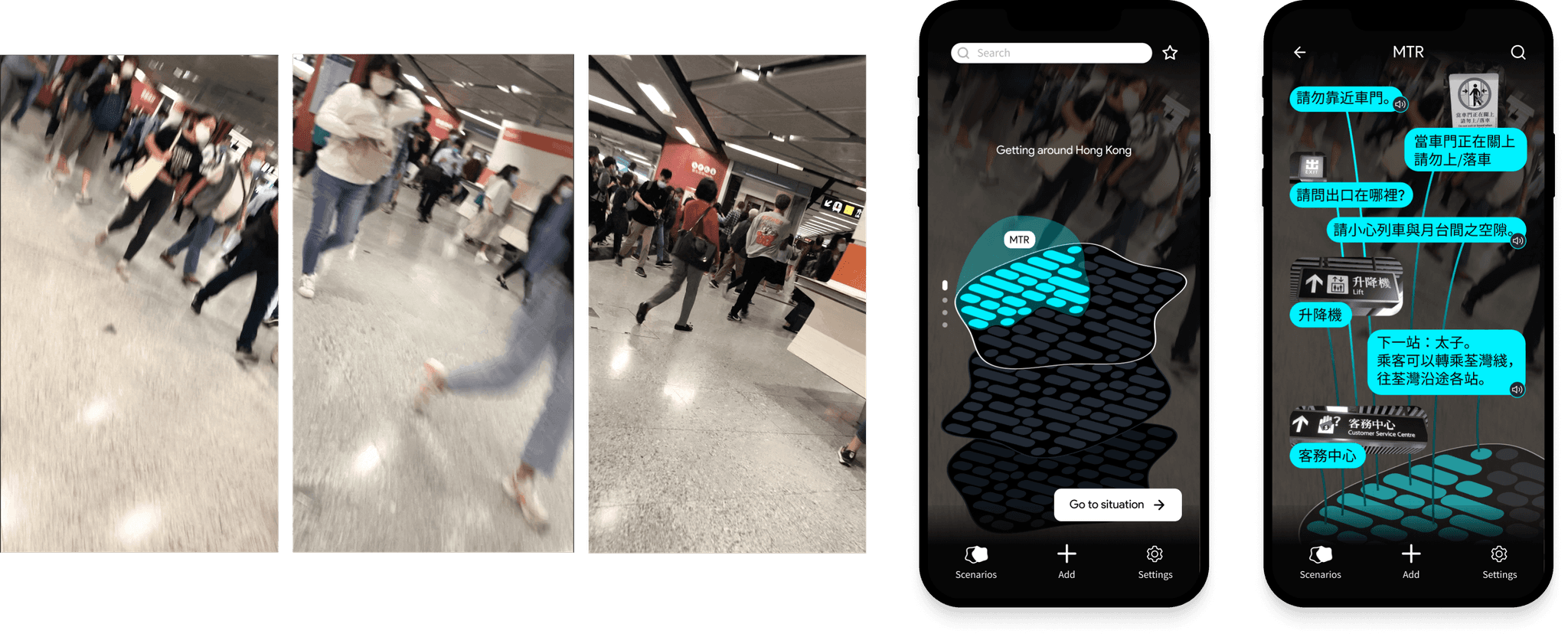
Videos the participant took on the left, how we would have liked to incorporate it on the right (including audio).
takeaways
Our hope was that even if images were not the focus of attention, a connection between the individual pieces of information and their original context would still be maintained. Admittedly, this aspect would have been improved if we could have figured out a meaningful way to do this in equal parts image and text. We tried to reinforce the image context by making pictures visible next to the text they are attached to, with mixed feelings about its efficacy.
We were only just approaching something exciting when we paired scenarios with a video background (with ambient noise) displaying the scenario the user was in. This amplified contextual cues in the way we had intended, showing that the words and pictures are actually part of a larger scene.
For the majority of our project we were focused on how we could best involve static imagery in our designs. Had we instead explored video, and other moving, changing mediums we might have had more success. Pictures, curated at fixed points, remove a lot of contextual information from the scene as they cannot capture and preserve its unlimited information. This limits the extent to which you can situate learning, as you cannot show all the relevant contextual information. Given that language, and the situations it exists in, is variable, ever-changing and flowing, it is important to use a medium that integrates this aspect in its design.
View next project
(It's really cool I promise)